Hello friends & brave #Cloudmarathoner community!
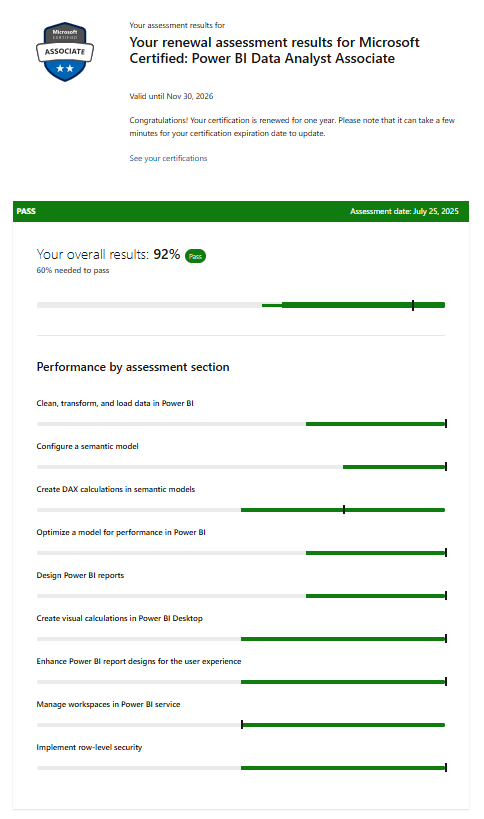
I’m excited to share another milestone in my continuous learning journey. I’ve successfully passed the MS-700: Microsoft Teams Administrator Associate renewal assessment! As a Microsoft Azure MVP and MCT, staying current isn’t just a requirement … It’s a commitment to the community, the platform, and the pace of innovation we all run together.
This renewal wasn’t just about ticking a box (for the 4th consecutive year), but it was an opportunity to revisit core Teams administration concepts, explore new capabilities, and sharpen practical skills that directly impact real-world deployments.
Let’s break it down 👇
Why Renewal Is Important
Microsoft certifications are valid for one year, and renewal ensures your skills stay aligned with the latest Microsoft Teams updates. The renewal process is free, online, and proctored, perfect for professionals who want flexibility without scheduling hassles.
The Renewal Process and eligibility
Here’s what I learned from the official Microsoft learn site.
- Eligibility: You can renew within six months before expiration.
- Assessment: A short, open-book online assessment focused on recent Power BI updates.
- Skills Measured: (here are the key skills measured)
- ✅ Implement compliance for Microsoft Teams
- ✅ Implement lifecycle management and governance
- ✅ Manage external access and guest collaboration
- ✅ Configure and manage Teams devices
- ✅ Manage chat and channel collaboration experiences
- ✅ Manage Teams apps and app governance
- ✅ Plan for Teams Phone
- ✅ Configure auto attendants and call queues
These domains align closely with real-world scenarios, especially for architects and admins designing secure, scalable collaboration platforms.
Validity of the renewal: Passing extends your certification by one year.
No attempts limitations to renew: Unlimited until expiration, with a 24-hour wait between retakes.
📚 Prepare in Cloud Marathoner Style
Here’s exactly how I approached it, without any shortcuts, just smart strategy:
1️⃣ Start with Official Microsoft Learning Content
The MS-700 learning path is your foundation: 👉 https://learn.microsoft.com/en-us/training/courses/ms-700t00
Focus areas are:
- Teams policies and governance
- Compliance (retention, DLP, sensitivity labels)
- External access vs guest access
- Teams Phone and voice workloads
✅ Tip: Don’t just read the material, try map features to real-world use cases.
2️⃣ Think Like an Architect, Not Just an Admin
Ask yourself the following:
- How do I control Teams sprawl?
- What’s the difference between sensitivity labels vs Teams policies?
- When should I use Guest Access vs External Access vs Shared Channels?
- How do voice solutions integrate with existing infrastructure?
3️⃣ Hands-On Practice (Non-Negotiable)
If you’re not testing your skills, you’re simply guessing. Spin up or use an existing tenant and practice:
- Creating Teams policies
- Configuring retention & compliance settings
- Setting up auto attendants and call queues
- Managing Teams apps permissions and governance
- Assigning Teams Phone licenses and numbers
4️⃣ Focus on What’s Changed
Renewals are about what’s new and evolving, not just fundamentals. Pay attention to:
- Shared channels and cross-tenant collaboration
- Enhanced governance controls
- Teams Premium features (where applicable)
- Updates in device management and provisioning
🧠 My Key Learning Insights
🔐 Compliance is No Longer Optional
Understanding retention policies, eDiscovery, and DLP is critical—not just for compliance teams, but for Teams admins.
🌍 External Collaboration is a Strategy
It’s not just “enable guest access.” but you expected to make balance in:
- Security
- User experience
- Business collaboration needs
📞 Teams Phone is Growing Fast
Voice workloads are becoming central for customers, so:
- Auto attendants
- Call queues
- Phone number management
- Direct routing & calling plans
Even if you’re not a voice engineer, you need foundational knowledge.
📱 Devices Matter More Than Ever
From Teams Rooms to desk phones, these are critical for hybrid work success.:
- Device policies
- Remote provisioning
- Firmware management
🏁 Final Thoughts
Renewing MS-700 isn’t just about staying certified, but it’s about staying relevant to customer needs. As Cloud Marathoners, we don’t sprint—we build endurance:
- Continuous learning
- Real-world application
- Sharing knowledge with the community
📣 Call to Action
If you’re planning your MS-700 renewal:
✅ Start today
✅ Use Microsoft Learn
✅ Practice hands-on
✅ Think in scenarios, not definitions
And most importantly… 👉 Run your own race—but don’t run alone.
Let’s keep learning, building, and growing together.
🙌 Let’s Connect
If you’ve recently renewed your MS-700 or are preparing:
- Share your experience
- Drop your tips
- Help another Cloud Marathoner succeed
- Connect with author on LinkedIn
#CloudMarathoner #MicrosoftTeams #MS700 #Microsoft365 #LearningJourney #TechCommunity #MVP #MCT